
A consistent product grid
Resize JPG, PNG and WebP photos. Fit the whole photo onto a chosen canvas or crop it to fill the frame, then export JPG or WebP.
Catalogue Studio
Prepare consistent product images and turn your product list into a professional PDF. A practical companion to Catalogue for shops, wholesalers and online sellers.
Try the free toolCompare free & Pro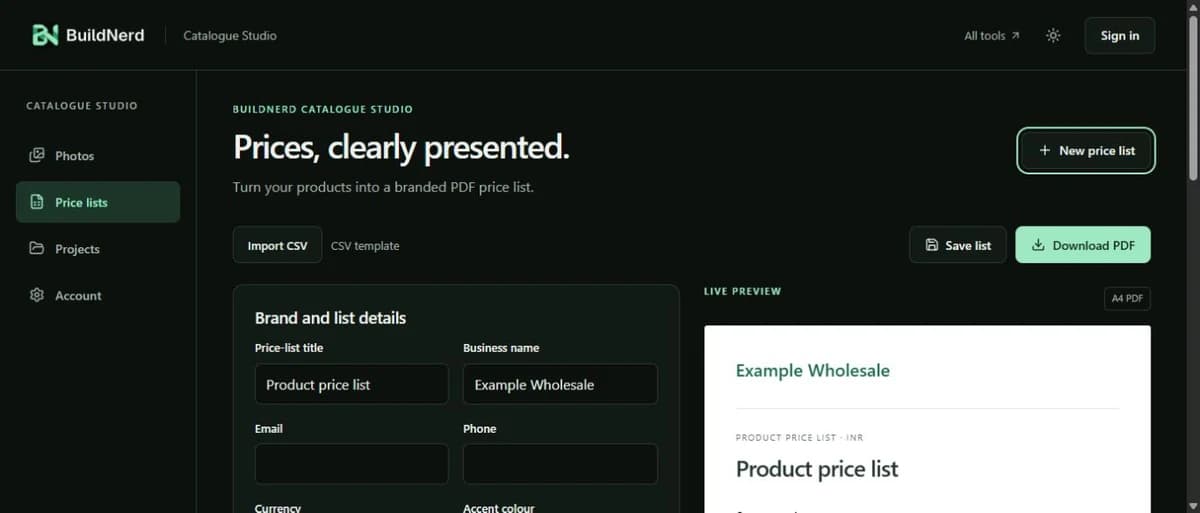
A practical business workflow
Resize and prepare product photos in batches, import CSV products and create branded PDF price lists. Free tools with Pro features included in Catalogue Pro.
Resize JPG, PNG and WebP photos. Fit the whole photo onto a chosen canvas or crop it to fill the frame, then export JPG or WebP.
Import up to 300 products with names, SKUs, prices and minimum quantities. Review discounts and order notes before exporting.
Sign in to copy your Catalogue products into a price list. With Pro, select existing photos to prepare and explicitly apply the results.
Studio uses your existing Catalogue sign-in and paid access. Quotes Pro has separate pricing; you do not need a second Catalogue plan for Studio.
Before you start
No. It resizes, crops or fits the existing photo onto a canvas. Objects and existing backgrounds remain in the photo.
Download individual photos or a ZIP within 24 hours. Expired batches are removed, so keep your originals and save the exports.
No. Price lists are separate documents. Applying product photos requires selecting the target products and confirming the update.
Prepare up to three product photos per batch and export PDF price lists free. Your Catalogue account works here too.
Open Catalogue Studio